Schema Markup for SEO & AI Visibility: 8 JSON-LD Types With Copy-Paste Code (2026)
How JSON-LD schema helps Google AND AI engines cite your site. 8 essential types with ready-to-use code, Rich Results examples, and a free validator tool.

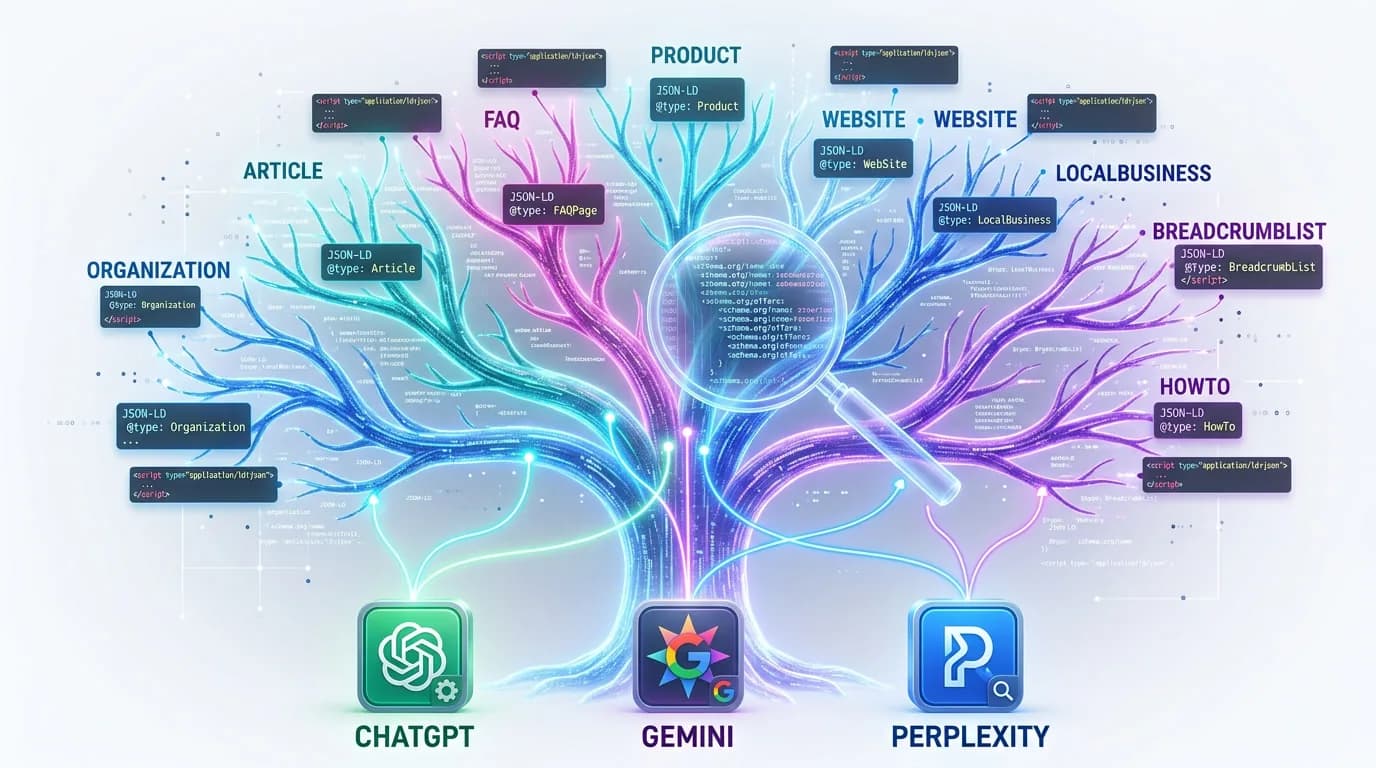
What Is Schema Markup?
Schema markup is a standardized vocabulary of structured data that you add to your website's code so search engines and AI models can understand your content at a machine-readable level. It acts as a translation layer between human-readable web pages and the algorithms that crawl them.
Schema markup is structured data code (most commonly JSON-LD) that you place on your web pages to help search engines return more informative, rich results for users. It draws from the Schema.org vocabulary, which is maintained jointly by Google, Microsoft, Bing, and Yandex.
When you add schema to a page, you are explicitly telling Google, Bing, and AI engines like ChatGPT exactly what your content represents. Instead of letting an algorithm guess whether "Apple" means a fruit or a tech company, schema removes the ambiguity.
The Schema.org vocabulary now includes over 800+ types and thousands of properties. You do not need all of them. In practice, about 10-15 types cover the vast majority of use cases for businesses, publishers, and e-commerce sites.
Schema markup is not visible to users visiting your page. It lives in a <script type="application/ld+json"> block in your HTML head or body, and it is only consumed by machines. Think of it as metadata on steroids: while traditional meta tags give search engines a title and description, schema gives them an entire knowledge graph about your page.
Why Schema Markup Is Critical in 2026
Schema markup has shifted from a nice-to-have SEO tactic to a critical requirement for visibility in both traditional and AI-powered search. Two converging trends make it indispensable in 2026: Google's increasing reliance on structured data for rich results, and the explosive growth of generative AI search engines.
Rich results drive clicks. Google displays rich results (star ratings, product prices, event dates) for pages that include valid schema. Studies consistently show that rich results increase click-through rates by 20-30% compared to plain blue links. In a search landscape where zero-click searches now exceed 60%, earning that rich snippet can be the difference between getting traffic and being invisible.
AI search engines need structured data. ChatGPT, Perplexity, Gemini, and Claude do not browse the web the way humans do. They rely heavily on structured signals to identify authoritative entities, extract factual claims, and determine which sources to cite. Our research at Rankeo shows that websites with comprehensive schema markup receive 3.2x more citations in AI-generated answers than sites without it. For a deeper look at what drives AI engines to cite your content, see our guide on how to get cited by AI search engines.
The knowledge graph advantage. Google's Knowledge Graph is built in large part from structured data. If your business has proper Organization, LocalBusiness, or Person schema, you dramatically increase your chances of appearing in knowledge panels, People Also Ask boxes, and Google's AI Overviews.
Competitive moat. Despite its importance, adoption remains surprisingly low. Only about 33% of websites use any form of structured data, and far fewer implement it comprehensively. This means that investing in schema today gives you a structural advantage that most competitors have not yet built.
JSON-LD vs Microdata vs RDFa: Which Format to Use
There are three formats for implementing schema markup: JSON-LD, Microdata, and RDFa. Google recommends JSON-LD, and in 2026 it is the clear winner for almost every use case. Here is how they compare.
| Feature | JSON-LD | Microdata | RDFa |
|---|---|---|---|
| Google recommended | Yes | Supported | Supported |
| Implementation | Separate script block | Inline HTML attributes | Inline HTML attributes |
| Ease of maintenance | Easy | Moderate | Moderate |
| CMS compatibility | Excellent | Good | Limited |
| Affects HTML structure | No | Yes | Yes |
| Dynamic generation | Trivial | Complex | Complex |
| AI engine readability | Excellent | Good | Good |
| 2026 adoption trend | Growing | Declining | Declining |
JSON-LD wins because it is decoupled from your HTML. You add a single <script> block anywhere on the page and you are done. You never have to touch your templates, your frontend components, or your CMS theme. This makes it far easier to add, update, and debug compared to Microdata or RDFa, which require inline attributes scattered throughout your HTML.
JSON-LD is also the easiest format to generate programmatically. If you use a tool like Rankeo's free Schema Validator, you can validate your JSON-LD in seconds without dealing with HTML parsing issues that plague Microdata validation.
The only exception: if you have an existing site heavily using Microdata (common in older WordPress themes), you do not need to rip it out immediately. Both formats work. But for any new implementation, always choose JSON-LD.
The 10 Most Important Schema Types for SEO and GEO
Of the 800+ schema types available, these 10 deliver the most impact for search visibility and AI citations. Prioritize them in order based on your site type.
1. Organization
Defines your business entity for Google's Knowledge Graph. It includes your name, logo, social profiles, contact information, and founding details. Every website should have Organization schema on their homepage. It is the foundation that all other schema types reference.
2. LocalBusiness
Essential for any business with a physical location. It extends Organization with address, opening hours, geographic coordinates, and service areas. LocalBusiness schema is the single most important type for local SEO and Google Maps visibility.
3. Article / BlogPosting
Tells search engines and AI models that a page is a piece of content with an author, publish date, and topic. Article schema enables rich results in Google News, Discover, and AI search citations. Use BlogPosting for blog posts and NewsArticle for news content.
4. FAQPage
One of the highest-impact schema types for machine readability. Google retired the FAQ rich result in May 2026, but FAQPage remains a valid schema.org type that structures your Q&A for direct extraction and citation by AI engines. It is heavily used by AI search engines when generating answers.
5. Product
Required for e-commerce. Product schema enables star ratings, pricing, availability, and review counts in search results. Pages with Product rich results see significantly higher click-through rates. Include offers, aggregateRating, and brand properties for maximum impact.
6. WebSite
Defines your website as a whole entity with a name, URL, and search action. The SearchAction property enables a sitelinks search box in Google, which increases branded search engagement. Always include WebSite schema on your homepage alongside Organization.
7. BreadcrumbList
Enables breadcrumb navigation in search results, which helps users understand your site structure and improves click-through rates. BreadcrumbList also helps search engines understand your site hierarchy, which is valuable for crawl efficiency and internal linking signals.
8. HowTo
Perfect for tutorial and instructional content. HowTo schema can generate step-by-step rich results in Google and is frequently cited by AI engines when users ask "how to" questions. Include time estimates, tools needed, and clear step descriptions.
9. Review / AggregateRating
Star ratings are among the most eye-catching rich results in Google. AggregateRating schema on product, service, or business pages enables those coveted gold stars that dramatically boost CTR. Ensure your reviews are genuine and comply with Google's review markup guidelines.
10. Event
If your business hosts events (webinars, conferences, workshops, classes), Event schema enables date, location, and ticket information in search results. Google also surfaces events in a dedicated Events panel in mobile search, giving you additional visibility.
Pro tip: You can check which schema types are already on any website using Rankeo's Schema Validator, which parses existing JSON-LD and identifies missing opportunities.
How Schema Markup Powers AI Search Visibility
AI search engines fundamentally change how your content gets discovered. Instead of returning a list of links, ChatGPT, Perplexity, and Gemini generate synthesized answers and cite sources inline. Schema markup is one of the strongest signals that determines whether your site gets cited.
Websites with comprehensive structured data markup see up to a 44% increase in AI search citations compared to competitors without schema. The effect is most pronounced for Organization, FAQPage, and Article schema types, which give AI models the entity context they need to attribute information to specific sources.
Why AI engines love schema. Large language models are trained on web data, but they also use real-time retrieval (RAG) when generating answers. During retrieval, structured data provides a clean, unambiguous signal about what a page contains, who wrote it, and what entity it belongs to. This is far more reliable than trying to extract meaning from unstructured HTML.
Entity recognition. When your Organization schema includes your brand name, founding date, CEO name, and social profiles, AI engines can build a confident entity profile for your business. This makes it much more likely that your brand gets mentioned when an AI generates an answer about your industry or topic area.
Factual grounding. AI engines are increasingly cautious about hallucination. Schema gives them verifiable facts (prices, ratings, dates, locations) that they can cite with confidence. A product page with full Product schema (price, availability, rating) is far more likely to be cited in an AI shopping recommendation than one without.
The Rankeo approach to GEO. At Rankeo, we measure AI visibility alongside traditional SEO. Our Authority Score includes an AI Visibility component that directly measures how well your structured data positions you for citations across ChatGPT, Perplexity, Gemini, Claude, and Grok. You can check your own score with our free Authority Checker, which factors in schema quality alongside other trust signals. Sites with strong schema implementation consistently score 30-50% higher on our AI Visibility metric. If you want to go deeper on optimizing for AI search engines beyond schema, see our complete guide to Generative Engine Optimization (GEO).
Step-by-Step Implementation Guide
Implementing schema markup correctly requires a systematic approach. Follow these steps to add structured data to your website without breaking anything.
- Audit your current schema. Before adding anything new, check what structured data already exists on your site. Use Rankeo's Schema Validator or Google's Rich Results Test to identify existing markup and errors. Many CMS themes add basic schema that may conflict with new implementations.
- Map your page types to schema types. Create a spreadsheet listing every template type on your site (homepage, product pages, blog posts, about page, contact page, FAQ page) and assign the appropriate schema type to each. For example: homepage gets Organization + WebSite, product pages get Product + BreadcrumbList, blog posts get Article + BreadcrumbList.
- Start with your homepage. Add Organization and WebSite schema to your homepage first. These are the foundation that establishes your brand entity in search engines and AI models. Get them validated and deployed before moving to other pages.
- Use the @graph pattern. Instead of adding multiple separate
<script>blocks, use a single JSON-LD block with an@grapharray. This is cleaner, prevents conflicts, and allows cross-referencing between schema types using@idreferences. - Add schema to templates, not individual pages. If you use a CMS or framework, add schema at the template level so every page of that type automatically gets the correct markup. For WordPress, use a plugin or custom functions.php code. For Next.js, add it to your layout components.
- Validate before deploying. Run every piece of schema through a validator before pushing to production. Invalid schema is worse than no schema because it can confuse search engines and trigger manual action warnings in Google Search Console.
- Monitor in Google Search Console. After deployment, check the Enhancements section in Google Search Console. It shows which schema types Google has detected, how many pages have valid markup, and any errors or warnings that need fixing.
- Iterate and expand. Once your core schema is stable, add more specific types: FAQPage for FAQ sections, HowTo for tutorials, Event for upcoming events. Each additional schema type is an opportunity for a new rich result type and more AI citations.
JSON-LD Examples for Every Major Schema Type
Here are production-ready JSON-LD examples for the six most commonly needed schema types. Copy them, customize the values for your business, and validate before deploying.
Organization Schema
Place this on your homepage. It establishes your brand entity in Google's Knowledge Graph and AI models.
{
  "@context": "https://schema.org",
  "@type": "Organization",
  "@id": "https://example.com/#organization",
  "name": "Your Company Name",
  "url": "https://example.com",
  "logo": {
    "@type": "ImageObject",
    "url": "https://example.com/logo.png",
    "width": 600,
    "height": 60
  },
  "description": "Brief description of your organization.",
  "foundingDate": "2020-01-15",
  "founder": {
    "@type": "Person",
    "name": "Founder Name"
  },
  "contactPoint": {
    "@type": "ContactPoint",
    "telephone": "+1-555-123-4567",
    "contactType": "customer service",
    "availableLanguage": ["English"]
  },
  "sameAs": [
    "https://twitter.com/yourcompany",
    "https://linkedin.com/company/yourcompany",
    "https://facebook.com/yourcompany"
  ]
}
LocalBusiness Schema
Required for any business with a physical location. Extends Organization with location-specific data for Google Maps and local pack results.
{
  "@context": "https://schema.org",
  "@type": "LocalBusiness",
  "@id": "https://example.com/#localbusiness",
  "name": "Your Business Name",
  "url": "https://example.com",
  "image": "https://example.com/storefront.jpg",
  "telephone": "+1-555-123-4567",
  "priceRange": "$$",
  "address": {
    "@type": "PostalAddress",
    "streetAddress": "123 Main Street",
    "addressLocality": "New York",
    "addressRegion": "NY",
    "postalCode": "10001",
    "addressCountry": "US"
  },
  "geo": {
    "@type": "GeoCoordinates",
    "latitude": 40.7128,
    "longitude": -74.0060
  },
  "openingHoursSpecification": [
    {
      "@type": "OpeningHoursSpecification",
      "dayOfWeek": ["Monday","Tuesday","Wednesday","Thursday","Friday"],
      "opens": "09:00",
      "closes": "18:00"
    }
  ]
}
Article / BlogPosting Schema
Use this on every blog post and article page. It enables rich results in Google News, Discover, and AI citations.
{
  "@context": "https://schema.org",
  "@type": "Article",
  "@id": "https://example.com/blog/post-slug#article",
  "headline": "Your Article Title Here",
  "description": "A concise description of the article content.",
  "url": "https://example.com/blog/post-slug",
  "datePublished": "2026-03-01",
  "dateModified": "2026-03-01",
  "author": {
    "@type": "Person",
    "name": "Author Name",
    "url": "https://example.com/about"
  },
  "publisher": {
    "@type": "Organization",
    "name": "Your Company",
    "logo": {
      "@type": "ImageObject",
      "url": "https://example.com/logo.png"
    }
  },
  "image": "https://example.com/images/article-hero.jpg",
  "wordCount": 2500,
  "keywords": ["keyword one", "keyword two"]
}
FAQPage Schema
One of the highest-ROI schema types for AI visibility. Google retired the FAQ rich result in May 2026, but FAQPage remains a valid schema.org type that structures your Q&A for direct extraction and citation by AI answer engines.
{
  "@context": "https://schema.org",
  "@type": "FAQPage",
  "mainEntity": [
    {
      "@type": "Question",
      "name": "What is your first question?",
      "acceptedAnswer": {
        "@type": "Answer",
        "text": "The complete answer to the first question."
      }
    },
    {
      "@type": "Question",
      "name": "What is your second question?",
      "acceptedAnswer": {
        "@type": "Answer",
        "text": "The complete answer to the second question."
      }
    }
  ]
}
Product Schema
Essential for e-commerce pages. Enables star ratings, pricing, and availability badges in Google Shopping results.
{
  "@context": "https://schema.org",
  "@type": "Product",
  "@id": "https://example.com/products/item-slug#product",
  "name": "Product Name",
  "description": "Detailed product description.",
  "image": "https://example.com/images/product.jpg",
  "brand": {
    "@type": "Brand",
    "name": "Brand Name"
  },
  "sku": "SKU-12345",
  "offers": {
    "@type": "Offer",
    "url": "https://example.com/products/item-slug",
    "priceCurrency": "USD",
    "price": "49.99",
    "availability": "https://schema.org/InStock",
    "priceValidUntil": "2026-12-31"
  },
  "aggregateRating": {
    "@type": "AggregateRating",
    "ratingValue": "4.7",
    "reviewCount": "128"
  }
}
WebSite Schema
Place this on your homepage alongside Organization schema. The SearchAction property enables a sitelinks search box in Google.
{
  "@context": "https://schema.org",
  "@type": "WebSite",
  "@id": "https://example.com/#website",
  "name": "Your Website Name",
  "url": "https://example.com",
  "publisher": {
    "@id": "https://example.com/#organization"
  },
  "potentialAction": {
    "@type": "SearchAction",
    "target": {
      "@type": "EntryPoint",
      "urlTemplate": "https://example.com/search?q={search_term_string}"
    },
    "query-input": "required name=search_term_string"
  }
}
All of these examples follow best practices for 2026. Use @id references to connect related schema types (e.g., the WebSite publisher references the Organization @id). You can generate and validate these automatically with Rankeo's schema generator, which builds production-ready JSON-LD for your specific site.
Common Schema Errors and How to Fix Them
Even experienced developers make schema mistakes. These are the most common errors that prevent your schema from generating rich results or being read by AI engines.
1. Missing Required Properties
Every schema type has required properties that Google expects. For example, Article requires headline, author, datePublished, and image. Omitting any of these causes Google to ignore the entire schema block. Always check Google's structured data documentation for required fields before implementing.
2. Invalid or Unreachable URLs
Schema properties like url, image, and logo must point to real, publicly accessible URLs. Using relative paths, localhost URLs, or links that return 404 errors will invalidate your markup. Always use absolute URLs that resolve correctly.
3. Mismatched Data
Google verifies that your schema data matches your visible page content. If your Product schema says the price is $49.99 but the page shows $59.99, Google may issue a manual action for misleading structured data. Always keep schema values in sync with your displayed content.
4. Duplicate Schema Blocks
Adding multiple JSON-LD blocks with the same @type on a single page confuses search engines. This commonly happens when a CMS plugin adds schema automatically and a developer also adds it manually. Audit your pages for duplicate blocks and consolidate them using the @graph pattern.
5. Using Deprecated Types or Properties
Schema.org evolves over time. Some types and properties get deprecated. For example, using jobLocation without a PostalAddress type, or using the old review property format. Check your schema annually against the latest Schema.org release notes to catch deprecations.
6. Self-Referencing Errors
Using the same @id for different types or creating circular references breaks JSON-LD parsing. Each @id must be unique across your page and should follow a consistent naming convention like https://yoursite.com/#organization.
How to Validate Your Schema Markup
Validation is the most important step in schema implementation. Deploying invalid schema is worse than deploying no schema at all, because it can trigger warnings in Google Search Console and confuse AI crawlers. Always validate before and after deployment.
Invalid schema markup can lead to manual actions from Google, loss of existing rich results, and misrepresentation in AI search answers. Validation is not optional; it is a required step in every schema deployment.
Three-layer validation approach:
- Syntax validation. Ensure your JSON-LD is valid JSON. A single missing comma or unclosed bracket will break the entire block. Use any JSON linter or Rankeo's Schema Validator to catch syntax errors instantly.
- Schema.org compliance. Verify that your types and properties exist in the Schema.org vocabulary and are used correctly. Using a non-existent property like
companySizeinstead ofnumberOfEmployeesmeans search engines will silently ignore it. - Google rich results eligibility. Google has specific requirements for each rich result type that go beyond basic Schema.org compliance. Use Google's Rich Results Test to confirm your schema qualifies for the rich results you expect.
Recommended validation workflow:
- During development: validate with Rankeo's Schema Validator for instant feedback
- Before deployment: run through Google's Rich Results Test
- After deployment: monitor the Enhancements report in Google Search Console for 2-4 weeks
- Ongoing: run monthly audits to catch regressions introduced by CMS updates or code changes
Schema Strategy for Small Businesses
Small businesses get the highest ROI from schema markup because they operate in competitive local markets where structured data can be a decisive advantage. You do not need to implement all 800+ types. Start with a focused three-phase approach.
Phase 1: Foundation (Week 1). Add Organization and LocalBusiness schema to your homepage. Include your business name, address, phone number, opening hours, and geographic coordinates. This is the single most impactful action for local search visibility. It feeds directly into Google Maps, the local pack, and AI assistants that recommend local businesses.
Phase 2: Content (Weeks 2-3). Add FAQPage schema to your FAQ page and any page with a Q&A section. Add Article or BlogPosting schema to your blog posts. If you sell products or services, add Product schema with pricing and ratings. These types unlock the rich results that drive the biggest CTR improvements.
Phase 3: Advanced (Month 2+). Add BreadcrumbList to all pages, WebSite with SearchAction to your homepage, and Service schema for your service pages. Consider adding Event schema if you host workshops or webinars, and HowTo schema for tutorial content.
Budget-conscious implementation. You do not need to hire a developer or buy an expensive schema tool. Rankeo's schema generator can create production-ready JSON-LD for your specific business type programmatically. For validation, our free Schema Validator tool checks your markup against Google's requirements at no cost. Schema is just one part of a broader SEO strategy for growing businesses — our small business SEO guide covers the full picture, including keyword research, on-page optimization, and affordable tools.
Measuring results. Track these metrics after implementing schema:
- Rich result impressions and clicks in Google Search Console (Enhancements report)
- CTR changes for pages with schema vs. without (use Search Console performance data)
- Local pack appearances for LocalBusiness schema (Search Console or rank tracker)
- AI citation frequency using a GEO monitoring tool like Rankeo's GEO tracker
Most small businesses see measurable improvements in rich result appearances within 2-4 weeks of implementing valid schema. AI citation improvements may take 4-8 weeks as AI models re-crawl and index your structured data.
Advanced Schema Techniques for 2026
Once you have the fundamentals in place, these advanced techniques will give you an additional edge in both traditional search and AI visibility. These strategies are what separate sites with basic schema from sites that fully dominate structured data.
The @graph Architecture
Instead of using multiple separate JSON-LD script blocks, combine all your schema into a single block using the @graph array. This allows you to cross-reference entities using @id, creating a mini knowledge graph on every page. Search engines and AI models can then understand the relationships between your organization, website, pages, authors, and content.
{
  "@context": "https://schema.org",
  "@graph": [
    {
      "@type": "Organization",
      "@id": "https://example.com/#organization",
      "name": "Your Company"
    },
    {
      "@type": "WebSite",
      "@id": "https://example.com/#website",
      "publisher": { "@id": "https://example.com/#organization" }
    },
    {
      "@type": "WebPage",
      "@id": "https://example.com/page#webpage",
      "isPartOf": { "@id": "https://example.com/#website" }
    }
  ]
}
Entity Linking and Knowledge Graph Optimization
Use sameAs properties to link your entities to authoritative external sources: your Wikipedia page, Wikidata entry, Crunchbase profile, and official social media accounts. This helps search engines and AI models confirm your entity identity with high confidence, which increases the likelihood of knowledge panel appearances and AI citations. Schema-driven entity authority is just one pillar of overall site authority — for a full breakdown of E-E-A-T, backlinks, and trust signals, read our complete guide to building website authority.
Speakable Schema for Voice Search
The Speakable property on Article and WebPage types tells voice assistants which sections of your content are most suitable for text-to-speech. As voice search continues to grow and AI assistants increasingly read out answers, Speakable schema helps your content get selected for audio delivery.
Dynamic Schema Generation
For large sites with hundreds or thousands of pages, manually writing schema is not scalable. Build schema generation into your backend or CMS. In frameworks like Next.js, you can generate JSON-LD dynamically in your page components using data from your database or CMS. Tools like Rankeo automate this entirely with programmatic schema builders that adapt to your site type and content.
Schema for Multi-Location Businesses
If your business has multiple locations, each location should have its own LocalBusiness schema with a unique @id. The parent Organization schema should reference all locations. This is critical for businesses that need to appear in local search results across different cities and regions.
Monitoring Schema at Scale
Schema can break silently when CMS plugins update, themes change, or developers modify templates. Set up automated monitoring that regularly validates your schema across all page types. Rankeo's audit system checks schema integrity as part of every site audit, catching regressions before they impact your search visibility.
The bottom line for 2026: Schema markup is no longer just an SEO tactic. It is a foundational layer of your web presence that determines how both traditional search engines and AI models understand, trust, and cite your content. Sites that invest in comprehensive, valid schema now are building a compounding advantage that will pay dividends as AI search continues to grow.
Frequently Asked Questions

Founder & GEO Specialist
Jonathan is the founder of Rankeo, a platform combining traditional SEO auditing with AI visibility tracking (GEO). He has personally audited 500+ websites for AI citation readiness and developed the Rankeo Authority Score — a composite metric that includes AI visibility alongside traditional SEO signals. His research on how ChatGPT, Perplexity, and Gemini cite websites has been used by SEO agencies across Europe.
- ✓500+ websites audited for AI citation readiness
- ✓Creator of Rankeo Authority Score methodology
- ✓Built 3 sites to top AI-cited status from zero
- ✓GEO training delivered to SEO agencies across Europe