The Complete Technical SEO Audit Checklist (2026)
A 45-point technical SEO audit checklist for 2026 — covering crawling, speed, schema, security, and AI readiness checks. Free template included.

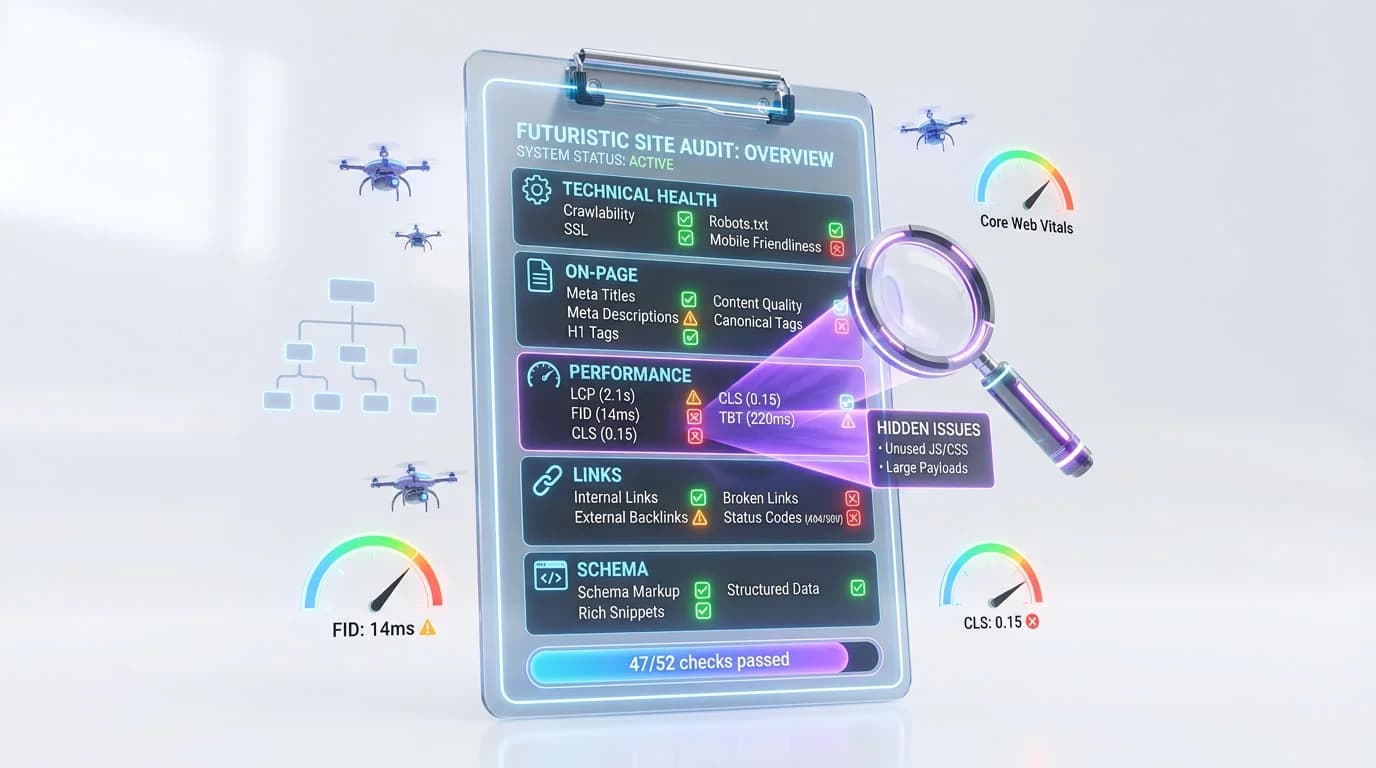
Updated: March 2026. A technical SEO audit evaluates the health of your website's infrastructure — crawling, indexing, speed, security, structured data, and AI readiness. According to Ahrefs, 68% of websites have at least one critical technical SEO issue that silently drains rankings and traffic. In 2026, a complete audit must also verify whether your site is optimized for AI crawlers, schema coverage, and citation eligibility — because technical problems block both Google rankings and AI engine citations.
This guide presents a complete 45-point technical SEO audit checklist organized into six sections, including a brand-new AI Readiness section that no other checklist covers. Use the checklist as a printable template, score your site out of 45, and prioritize fixes by impact.
Run All 45 Checks in Under 5 Minutes
Rankeo's free audit scans your site for crawl errors, speed issues, schema gaps, and AI readiness — then ranks every issue by priority.
Run Your Free Audit →Why Is a Technical SEO Audit Your Foundation?
A technical SEO audit is the foundation because no amount of great content or backlinks can compensate for infrastructure failures. If Google can't crawl your pages, they won't rank. If AI crawlers are blocked, your site won't be cited. The average technical audit uncovers 15 to 25 actionable issues — many of which site owners never knew existed (Semrush, 2025).
What a Technical Audit Covers
A technical audit focuses on infrastructure, not content quality. The six core areas are crawling & indexing, site speed, mobile usability, schema markup, security, and — new for 2026 — AI readiness. Content audits (keyword targeting, topical gaps, thin content) are a separate process that should follow a technical audit.
How Often Should You Audit?
- Quarterly — the baseline for most active sites with regular content publishing
- Monthly — recommended for high-traffic sites (100k+ sessions/month) or e-commerce with frequent catalog changes
- After every major change — CMS migrations, redesigns, domain changes, hosting moves, and large-scale URL restructuring
What's New in 2026
The biggest shift in technical SEO audits for 2026 is the addition of AI readiness checks. AI crawlers like PerplexityBot, ChatGPT-User, and GoogleOther now visit indexed sites 2-3 times per week on average (Cloudflare Radar, 2025). Yet 40% of sites block at least one AI crawler unintentionally via robots.txt (Originality.ai, 2025). Section 6 of this checklist adds eight AI-specific checks that most traditional audits completely miss.
In summary, a technical SEO audit is the prerequisite for every other optimization — and in 2026, any audit that skips AI readiness is incomplete.
Section 1 — Crawling & Indexing (10 Checks)
Crawling and indexing are the absolute first priority in any technical audit. If search engines and AI crawlers cannot discover and store your pages, every other optimization is wasted effort. Start here and don't move on until every check passes.
Check 1 — Robots.txt Configuration
What to check: Verify that no critical pages (homepage, product pages, blog posts) are blocked by Disallow rules. Confirm AI crawlers — PerplexityBot, ChatGPT-User, GoogleOther, Anthropic-AI — are not blocked unless you intentionally want to restrict them.
Target: All important page groups are crawlable. Zero accidental Disallow rules for AI user agents.
Tool: Google Search Console robots.txt tester, or manually review yoursite.com/robots.txt.
How to fix: Edit robots.txt to remove overly broad Disallow patterns. Add explicit Allow rules for AI crawlers if your default is restrictive.
Check 2 — XML Sitemap
What to check: An XML sitemap exists, is submitted to Google Search Console and Bing Webmaster Tools, contains no errors, and includes all important pages.
Target: Sitemap returns HTTP 200, is referenced in robots.txt, and contains fewer than 50,000 URLs per file (Google's limit).
How to fix: Generate a fresh sitemap with your CMS or a tool like Yoast/Rank Math. Submit via Search Console > Sitemaps.
Check 3 — Sitemap Coverage
What to check: Compare pages listed in the sitemap versus pages indexed in Google versus total pages on the site. Large discrepancies signal crawl or indexation problems.
Target: Indexed pages should be within 10-15% of sitemap URLs. Pages intentionally excluded (admin, tag archives) should use noindex, not be missing from both.
Check 4 — Crawl Errors
What to check: Google Search Console > Pages report for 404 errors, 5xx server errors, and soft 404s (pages that return 200 but show error content).
Target: Zero 5xx errors. Fewer than 10 active 404s on important pages. All soft 404s resolved.
How to fix: Redirect broken URLs (301) to the closest relevant page. Fix server errors at the hosting/application level. For soft 404s, either return proper content or a real 404 status code.
Check 5 — Index Coverage
What to check: In Google Search Console, review the "Indexed" vs. "Not indexed" breakdown. Identify pages excluded with reasons like "Crawled - currently not indexed" or "Discovered - currently not indexed."
Target: 90%+ of submitted pages are indexed. Pages showing "Crawled - currently not indexed" often have thin content or quality issues.
Check 6 — Canonicalization
What to check: Every page has a self-referencing canonical tag. No conflicting canonicals (e.g., page A canonicalizes to B, but B canonicalizes to C). HTTP and HTTPS variants, www and non-www variants, and trailing-slash variants all resolve to one canonical version.
Target: 100% of indexable pages have a correct, self-referencing canonical. Zero canonical chains.
Check 7 — Redirect Chains
What to check: No redirect chain is longer than 2 hops. No redirect loops exist. All redirects are 301 (permanent) unless a temporary 302 is intentional.
Target: Every redirect resolves in a single hop. Screaming Frog or Sitebulb can map all redirect chains in minutes.
Check 8 — Orphan Pages
What to check: Identify pages with zero internal links pointing to them. Orphan pages are hard for both search engines and users to discover.
Target: Every indexable page has at least one internal link. Priority pages (products, pillar content) should have 5+ internal links.
Check 9 — Crawl Budget
What to check: For large sites (10,000+ pages), verify that Googlebot is spending crawl budget on important pages, not on faceted navigation, parameter URLs, or paginated archives.
Target: High-priority pages are crawled daily. Low-value pages are either noindexed or blocked in robots.txt. Google Search Console > Settings > Crawl Stats shows crawl frequency.
Check 10 — JavaScript Rendering
What to check: Googlebot can render JavaScript content correctly. Use the URL Inspection tool in Search Console to view the rendered HTML. Compare rendered output against the source HTML.
Target: All critical content (headings, body text, links, structured data) is visible in the rendered HTML. If content is client-side only and fails to render, Googlebot won't index the content.
In summary, crawling and indexing form the non-negotiable foundation of every technical audit — if these 10 checks don't pass, fix them before touching anything else.
Section 2 — Site Speed & Core Web Vitals (8 Checks)
Core Web Vitals are a confirmed Google ranking factor, and speed directly impacts user engagement and conversions. Sites with LCP under 2.5 seconds rank 30% higher on average than sites with LCP above 4 seconds (HTTP Archive / Chrome UX Report, 2025). These eight checks cover the metrics Google measures and the infrastructure that supports them. For a deeper dive on how these metrics affect AI visibility, see our complete GEO guide.
Check 11 — Largest Contentful Paint (LCP)
What to check: The time it takes for the largest visible content element (hero image, headline block) to render.
Target: Under 2.5 seconds on both mobile and desktop. Measure with PageSpeed Insights (lab data) and Chrome UX Report (field data).
How to fix: Optimize the LCP element — preload hero images, use next-gen formats (WebP/AVIF), eliminate render-blocking resources above the fold, and ensure the server responds quickly (see TTFB below).
Check 12 — Interaction to Next Paint (INP)
What to check: INP replaced First Input Delay (FID) in March 2024 as the responsiveness metric. INP measures the delay between a user interaction (click, tap, keypress) and the next visual update.
Target: Under 200 milliseconds. Test with Chrome DevTools Performance panel or web-vitals.js library.
How to fix: Break up long JavaScript tasks, defer non-critical scripts, reduce main-thread work, and minimize DOM size.
Check 13 — Cumulative Layout Shift (CLS)
What to check: Unexpected layout shifts during page load — elements jumping around as images, ads, or fonts load.
Target: CLS score under 0.1. Measure with PageSpeed Insights or Lighthouse.
How to fix: Set explicit width/height on images and videos, reserve space for ad slots, use font-display: swap with font size-adjust to prevent layout shifts from web fonts.
Check 14 — Time to First Byte (TTFB)
What to check: TTFB measures server response time — the duration from the browser's request to the first byte of the response.
Target: Under 800 milliseconds. Under 200ms is excellent. Test with WebPageTest or curl.
How to fix: Upgrade hosting, implement server-side caching (Redis, Varnish), use a CDN, optimize database queries, and enable HTTP/2 or HTTP/3.
Check 15 — Page Weight
What to check: Total download size of the page including HTML, CSS, JavaScript, images, fonts, and third-party resources.
Target: Under 2 MB for content pages. Under 3 MB for media-heavy pages. The median web page in 2025 is 2.3 MB (HTTP Archive).
Check 16 — Image Optimization
What to check: Images use modern formats (WebP or AVIF), are properly sized (not 3000px wide images displayed at 400px), implement lazy loading for below-the-fold images, and include descriptive alt text.
Target: No image file exceeds 200 KB. All images have alt attributes. The hero/LCP image is preloaded, not lazy-loaded.
Check 17 — Code Splitting & Bundle Size
What to check: JavaScript bundle size. Are non-critical scripts deferred? Is code split by route or component?
Target: Initial JavaScript payload under 200 KB (compressed). Use Webpack Bundle Analyzer, Lighthouse, or Chrome DevTools Coverage tab.
Check 18 — CDN & Caching
What to check: A Content Delivery Network is configured. Static assets (images, CSS, JS, fonts) have cache-control headers with long max-age values. HTML pages have appropriate, shorter caching policies.
Target: Static assets cached for at least 1 year (immutable with content hashing). CDN covers all major geographic regions your audience visits from.
| Core Web Vital | Good | Needs Improvement | Poor |
|---|---|---|---|
| LCP | ≤ 2.5 s | 2.5 – 4.0 s | > 4.0 s |
| INP | ≤ 200 ms | 200 – 500 ms | > 500 ms |
| CLS | ≤ 0.1 | 0.1 – 0.25 | > 0.25 |
| TTFB | ≤ 800 ms | 800 ms – 1.8 s | > 1.8 s |
See Exactly Where Your Speed Falls Short
Rankeo's free audit tests every Core Web Vital and flags the specific elements slowing your pages down.
Run Your Free Speed Audit →In summary, site speed is both a ranking factor and a user-experience imperative — prioritize LCP and INP fixes first, as these two metrics have the strongest correlation with search visibility.
Section 3 — Mobile & UX (6 Checks)
Mobile accounts for 63% of all Google searches in 2026 (Statcounter, 2026), and Google uses mobile-first indexing exclusively — meaning the mobile version of your site is the version Google crawls and ranks. These six checks ensure your site delivers a flawless mobile experience.
Check 19 — Mobile-Friendly Test
What to check: The site passes Google's mobile-friendly standards. Use the URL Inspection tool in Search Console (the standalone Mobile-Friendly Test was deprecated) or Lighthouse's mobile audit.
Target: Zero mobile usability issues in Search Console. All text readable without zooming. No horizontal scrolling required.
Check 20 — Responsive Design
What to check: The layout adapts correctly across all breakpoints — from 320px (small phones) to ultrawide desktop monitors.
Target: No broken layouts, overlapping elements, or hidden content at any viewport width. Test the five most-visited page templates (homepage, product, blog post, category, contact).
Check 21 — Tap Targets
What to check: Buttons, links, and interactive elements are large enough and spaced far enough apart for touch interaction.
Target: Minimum 48 × 48 pixels tap target size with at least 8px spacing between adjacent targets (Google's recommendation).
Check 22 — Font Readability
What to check: Base body font size, line height, and color contrast.
Target: Base font size of 16px or larger. Line height of 1.5 or more. Contrast ratio of at least 4.5:1 for normal text (WCAG AA).
Check 23 — Intrusive Interstitials
What to check: No full-screen popups that block content on mobile within the first interaction. Cookie banners and age-verification dialogs are exempt, but marketing popups are penalized.
Target: Zero intrusive interstitials on mobile. Use banners that take up less than 30% of the screen if you must show a promotion.
Check 24 — Viewport Configuration
What to check: The HTML document includes a proper meta viewport tag: <meta name="viewport" content="width=device-width, initial-scale=1">.
Target: Present on every page. No maximum-scale=1 or user-scalable=no that prevents zooming (an accessibility violation).
In summary, mobile usability is non-negotiable in a mobile-first indexing world — a site that fails these six checks is effectively invisible to the majority of searchers.
Section 4 — Schema & Structured Data (8 Checks)
Schema markup increases click-through rate by 30% in search results by enabling rich snippets (Search Engine Journal, 2025). More importantly for 2026, schema is the primary language AI engines use to understand your site's entities, relationships, and authority. Our complete schema markup guide covers implementation in detail — this section focuses on audit checks.
Check 25 — Schema Presence
What to check: Every important page type has JSON-LD structured data in the <head> or <body>.
Target: 100% of indexable pages have at least one schema type. Homepage has Organization + WebSite. Blog posts have Article. Product pages have Product. Category pages have CollectionPage or ItemList.
Check 26 — Schema Validity
What to check: Schema passes validation with zero errors and minimal warnings. Use Google's Rich Results Test and Schema.org's validator.
Target: Zero errors across all page templates. Warnings (like missing recommended properties) should be addressed but are not critical.
Check 27 — @graph Architecture
What to check: Schema uses a unified @graph array with @id cross-references rather than multiple disconnected JSON-LD script blocks. This tells AI engines how entities relate to each other.
Target: Single JSON-LD block per page using @graph. Each entity within the graph references others via @id. For example, the Article's author property references the Person's @id.
Check 28 — Organization Schema
What to check: Organization schema on the homepage includes name, url, logo, description, contactPoint, and sameAs links to official social media profiles.
Target: All required and recommended properties present. SameAs links to at least LinkedIn, X/Twitter, and any Wikipedia/Wikidata entries.
Check 29 — WebSite Schema
What to check: WebSite schema on the homepage includes name, url, and a SearchAction for sitelinks searchbox eligibility.
Target: Present on the homepage. The SearchAction target URL pattern matches your actual site search URL structure.
Check 30 — Breadcrumb Schema
What to check: BreadcrumbList schema on all inner pages reflects the site's navigation hierarchy.
Target: Every page except the homepage has BreadcrumbList schema. The breadcrumb trail matches the visual breadcrumb navigation shown to users.
Check 31 — Article/Product Schema
What to check: Content pages use the appropriate schema type — Article or BlogPosting for editorial content, Product for product pages, LocalBusiness for location pages.
Target: Schema type matches page content. Article schema includes headline, datePublished, dateModified, author (Person with @id), and publisher (Organization with @id).
Check 32 — FAQ Schema
What to check: Pages with FAQ sections include FAQPage schema with Question and Answer entities.
Target: Every FAQ section has corresponding FAQPage schema. Questions and answers in the schema match the visible page content exactly (Google penalizes mismatches).
| Page Type | Required Schema | Recommended Additions |
|---|---|---|
| Homepage | Organization, WebSite | SearchAction, SameAs |
| Blog Post | Article, BreadcrumbList | FAQPage, Person (author) |
| Product Page | Product, BreadcrumbList | AggregateRating, Offer |
| Category Page | CollectionPage, BreadcrumbList | ItemList |
| Contact Page | Organization, BreadcrumbList | ContactPoint, PostalAddress |
| FAQ Page | FAQPage, BreadcrumbList | WebPage |
Validate Your Schema in Seconds
Rankeo's Schema Validator checks every page for errors, missing types, and @graph architecture issues — with fix suggestions.
Validate Your Schema →In summary, schema markup is no longer optional — structured data drives rich results in Google and determines whether AI engines can accurately understand and cite your content. Read our guide on optimizing schema for AI engines for advanced techniques.
Section 5 — Security & Trust (5 Checks)
Security and trust signals are ranking factors that Google evaluates both algorithmically and through manual quality rater guidelines. E-E-A-T (Experience, Expertise, Authoritativeness, Trustworthiness) begins with a secure, transparent website. For more on how E-E-A-T intersects with AI search, see our E-E-A-T and AI search guide.
Check 33 — HTTPS
What to check: A valid SSL/TLS certificate is installed. All pages are served over HTTPS. No mixed content (HTTP resources loaded on HTTPS pages). HTTP requests 301-redirect to HTTPS.
Target: 100% HTTPS. SSL Labs score of A or higher. Certificate expiration more than 30 days away.
How to fix: Install an SSL certificate (free via Let's Encrypt or included with most hosts). Set up server-level HTTP-to-HTTPS redirects. Fix mixed content by updating resource URLs to HTTPS.
Check 34 — HTTP Security Headers
What to check: Key security headers are present in server responses:
- X-Content-Type-Options: nosniff — prevents MIME-type sniffing
- X-Frame-Options: DENY — prevents clickjacking
- Content-Security-Policy — controls allowed resource sources
- Strict-Transport-Security — forces HTTPS for future visits
Target: All four headers present. Test with securityheaders.com — aim for a grade of A.
Check 35 — Privacy Policy
What to check: A privacy policy page exists, is accessible from the footer of every page, and is up-to-date with current data-processing practices and applicable regulations (GDPR, CCPA).
Target: Present, linked from the global footer, and reviewed/updated within the last 12 months.
Check 36 — Contact Information
What to check: A physical address, email address, and phone number are visible on the website — ideally on a dedicated Contact page and in the footer.
Target: At least two forms of contact information visible. This is a Google Quality Rater guideline requirement for YMYL (Your Money or Your Life) sites and a strong trust signal for all sites.
Check 37 — Malware & Spam
What to check: The site has a clean bill from Google Safe Browsing. No suspicious outbound links (especially in comments, footers, or hidden divs). No injected spam content.
Target: Clean Safe Browsing status. Zero manual actions in Search Console. All outbound links are intentional and point to reputable domains.
In summary, security and trust are table stakes — a site without HTTPS, security headers, and visible contact information signals low trustworthiness to both search engines and AI quality filters.
Section 6 — AI Readiness Checks (8 Checks)
This section is what separates a 2026 technical SEO audit from every outdated checklist still circulating. AI engines — ChatGPT, Perplexity, Google AI Overviews, Anthropic Claude — are now major traffic and citation sources. If your site isn't optimized for AI crawlers and AI-readable content, you're missing an entirely new visibility channel. According to Originality.ai, 40% of websites block at least one major AI crawler unintentionally.
Check 38 — llms.txt File
What to check: A file at /llms.txt (and optionally /llms-full.txt) that provides structured information about your site for AI crawlers — site name, description, key pages, and content categories.
Target: File is present, returns HTTP 200, and includes accurate site metadata. Sites with llms.txt files receive 1.5x more AI citations on average (Originality.ai, 2025).
How to fix: Create a plain text file at your domain root following the llms.txt specification. Include your site name, a one-paragraph description, and links to your most important pages with descriptions.
Check 39 — Schema Coverage Score
What to check: The percentage of indexable pages that have valid, comprehensive schema markup — not just presence, but depth (multiple entity types per page, @graph architecture, all recommended properties filled).
Target: 90%+ schema coverage across all page templates. Use Rankeo's Schema Validator to measure coverage at scale.
Check 40 — Content Citability
What to check: Content is formatted for AI extraction. AI engines prioritize content with clear headings (H2/H3 as questions), data-dense tables, FAQ sections with direct answers, quotable statements in the first paragraph, and short paragraphs with specific data.
Target: Every pillar page includes at least one data table, one FAQ section, and an "answer capsule" opening paragraph. Content uses entity-clear language (names, not pronouns).
Check 41 — AI Crawler Access
What to check: Your robots.txt does not block these AI crawlers: PerplexityBot, ChatGPT-User, GoogleOther, Anthropic-AI, ClaudeBot, Applebot-Extended. Many default robots.txt configurations or overzealous security plugins block AI user agents without the site owner realizing.
Target: All six major AI crawler user agents have explicit or implicit crawl access. No blanket Disallow rules that catch AI bots.
Check 42 — Entity Consistency
What to check: The same entity information — brand name, address, phone number, descriptions, founder/CEO name — appears consistently across every page and external platform (Google Business Profile, LinkedIn, Crunchbase, Wikipedia).
Target: Zero discrepancies in NAP (Name, Address, Phone) data. Brand descriptions use identical language across schema, about pages, and external profiles. Use Rankeo's Authority Checker to audit entity consistency.
Check 43 — FAQ Markup on Key Pages
What to check: FAQ sections with FAQPage schema exist on high-value pages: homepage, product pages, service pages, and pillar blog posts. AI engines heavily extract FAQ content for direct answers.
Target: At least 5 FAQ questions per key page. FAQPage schema matches visible FAQ content exactly. Answers are 2-3 sentences — concise enough for AI extraction.
Check 44 — Data Table Presence
What to check: Data-dense HTML tables with clear header rows on relevant pages. According to internal Rankeo research, pages with comparison tables receive 4.1x more AI citations than pages without tables.
Target: Every pillar page and guide-style article includes at least one HTML table. Tables should have <thead>, <th> elements, and concise cell content (1-8 words per cell).
Check 45 — Author Signals
What to check: Editorial content includes visible author bios with credentials. Person schema with sameAs links to LinkedIn, X/Twitter, and other professional profiles. Author pages that aggregate all articles by that author.
Target: Every blog post and editorial page has a named author, a visible bio, and Person schema with at least two sameAs links. This builds the author entity that AI engines use to evaluate expertise and credibility.
| Audit Section | Checks | Impact on Google | Impact on AI Engines |
|---|---|---|---|
| Crawling & Indexing | 10 | Critical | Critical |
| Site Speed & CWV | 8 | High | Medium |
| Mobile & UX | 6 | High | Low |
| Schema & Structured Data | 8 | High | Critical |
| Security & Trust | 5 | Medium | Medium |
| AI Readiness (NEW) | 8 | Medium | Critical |
Scoring your audit: Award 1 point for each check that passes. A score of 40-45 is excellent. 30-39 means solid fundamentals but gaps in advanced optimization. Below 30 signals critical infrastructure problems that are actively costing you traffic and AI visibility.
In summary, AI readiness is the defining addition to technical SEO audits in 2026 — sites that nail these eight checks gain a compounding advantage as AI-driven search becomes the default discovery channel.
Ready to Automate Your 45-Point Audit?
Rankeo scans all 45 checks — including AI readiness — in a single automated audit. Get a prioritized action plan with exact fix instructions for every issue.
See Rankeo Plans & Pricing →Frequently Asked Questions

Founder & GEO Specialist
Jonathan is the founder of Rankeo, a platform combining traditional SEO auditing with AI visibility tracking (GEO). He has personally audited 500+ websites for AI citation readiness and developed the Rankeo Authority Score — a composite metric that includes AI visibility alongside traditional SEO signals. His research on how ChatGPT, Perplexity, and Gemini cite websites has been used by SEO agencies across Europe.
- ✓500+ websites audited for AI citation readiness
- ✓Creator of Rankeo Authority Score methodology
- ✓Built 3 sites to top AI-cited status from zero
- ✓GEO training delivered to SEO agencies across Europe