Schema Markup for Healthcare: Quick Implementation Guide
Implement MedicalOrganization, Physician, and MedicalCondition schema. Step-by-step guide to healthcare structured data that builds trust and drives appointments.
Why Schema Matters for Healthcare
Healthcare content operates under Google's most stringent quality evaluation. Every medical page is classified as YMYL — Your Money or Your Life — meaning inaccurate information can cause real harm. Google's quality raters apply the highest E-E-A-T standards to healthcare sites, and schema markup is how you communicate your medical credentials in a machine-readable format that both Google and AI engines can verify. MedicalOrganization schema establishes your practice as a legitimate healthcare provider. Physician schema documents individual doctor credentials — medical school, board certifications, specialties — that AI engines check before recommending specific providers. In 2026, patients increasingly ask AI assistants health questions before booking appointments: "best cardiologist near me," "should I see a doctor for chest pain," "pediatrician accepting new patients in Denver." These AI engines recommend practices with verifiable structured data over those with only unstructured HTML. For healthcare providers, proper schema markup is not just an SEO tactic — it is a trust infrastructure that helps the right patients find the right providers through every digital channel.
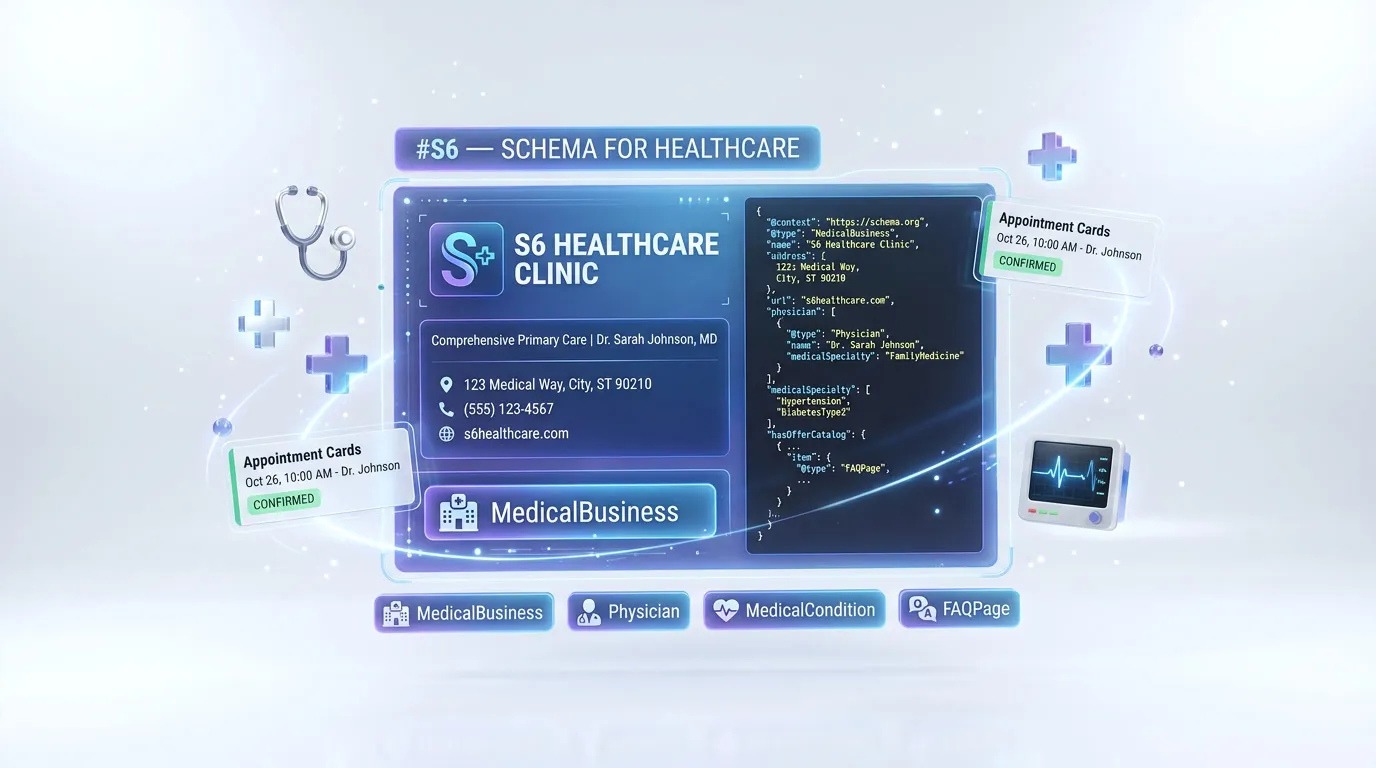
Essential Schema Types for Healthcare
Implement these 4 schema types to maximize your search visibility and AI engine compatibility.
1.MedicalOrganization
CriticalGoogle Rich ResultsEstablishes your practice as a medical provider for health queries
{
  "@type": "MedicalOrganization",
  "name": "Sunrise Medical Group",
  "medicalSpecialty": "Family Medicine",
  "address": {
    "@type": "PostalAddress",
    "streetAddress": "200 Health Blvd",
    "addressLocality": "Denver",
    "addressRegion": "CO",
    "postalCode": "80202"
  },
  "telephone": "+1-720-555-0188",
  "isAcceptingNewPatients": true
}
Pro tip: The isAcceptingNewPatients property is gold for AI recommendations. When a patient asks an AI "dentist accepting new patients near me," practices with this boolean set to true are prioritized. Update it in real-time as your availability changes.
2.Physician
CriticalProfiles individual doctors with credentials for knowledge panels
{
  "@type": "Physician",
  "name": "Dr. Emily Chen, MD",
  "medicalSpecialty": "Cardiology",
  "image": "https://sunrisemedical.com/dr-chen.jpg",
  "worksFor": { "@id": "#org" },
  "alumniOf": {
    "@type": "CollegeOrUniversity",
    "name": "Johns Hopkins School of Medicine"
  },
  "availableService": {
    "@type": "MedicalProcedure",
    "name": "Cardiac Stress Test"
  }
}
Pro tip: Add hasCredential with board certification details and memberOf for professional associations (AMA, specialty boards). These structured credentials are what differentiate your physicians from competitors in AI recommendation ranking.
3.MedicalCondition
RecommendedStructures condition pages for health search features and AI extraction
{
  "@type": "MedicalCondition",
  "name": "Hypertension",
  "alternateName": "High Blood Pressure",
  "signOrSymptom": [
    { "@type": "MedicalSymptom", "name": "Headaches" },
    { "@type": "MedicalSymptom", "name": "Shortness of breath" }
  ],
  "possibleTreatment": {
    "@type": "MedicalTherapy",
    "name": "Lifestyle changes and medication"
  }
}
Pro tip: Link MedicalCondition pages to your Physician profiles via the treating physician. When an AI engine connects a condition to a specific doctor who treats it at your practice, it creates a powerful recommendation path from symptom search to appointment booking.
4.FAQPage
RecommendedGoogle Rich ResultsCaptures health-related featured snippets for patient questions
{
  "@type": "FAQPage",
  "mainEntity": [{
    "@type": "Question",
    "name": "Do you accept new patients?",
    "acceptedAnswer": {
      "@type": "Answer",
      "text": "Yes, Sunrise Medical Group is currently accepting new patients. Call us or book online to schedule your first appointment."
    }
  }]
}
Pro tip: Include insurance acceptance, appointment process, and preparation questions in your FAQ. "Does [practice] accept Blue Cross?" is one of the most common queries patients ask AI assistants — having this in structured FAQ data means you get cited directly.
Common Mistakes to Avoid
These are the most frequent healthcare schema issues we see during audits.
#1 — Using generic Organization instead of MedicalOrganization
Organization schema tells Google you are a business. MedicalOrganization tells Google you are a healthcare provider with medical specialties, accepting patients, and offering medical services. The generic type forfeits all healthcare-specific signals.
Fix: Change @type to "MedicalOrganization" (or a more specific subtype like "Physician", "Dentist", "Hospital" if applicable). Add medicalSpecialty, isAcceptingNewPatients, and availableService properties.
#2 — No medicalSpecialty property on provider profiles
Without medicalSpecialty, Google and AI engines cannot match your practice or physicians to specialty-specific queries. A cardiologist without cardiology specialty markup competes generically against all doctors.
Fix: Add medicalSpecialty using schema.org MedicalSpecialty enumeration values (Cardiology, Dermatology, Pediatrics, etc.) on both your MedicalOrganization and individual Physician schema.
#3 — Missing physician credentials and alumniOf
Healthcare is the most credential-dependent YMYL category. Physician schema without education, board certifications, and professional memberships fails the E-E-A-T evaluation that Google applies to all medical content.
Fix: Add alumniOf for medical school, hasCredential for board certifications with certifying body details, memberOf for professional associations, and yearsOfExperience. Each credential strengthens both Google YMYL trust and AI recommendation confidence.
#4 — Condition pages without MedicalCondition structured data
Health condition pages with only unstructured HTML content miss the opportunity for health-specific rich results and AI extraction. When AI engines answer symptom queries, they prefer sources with structured medical data.
Fix: Add MedicalCondition schema with symptoms (signOrSymptom), treatments (possibleTreatment), risk factors (riskFactor), and link to the physicians at your practice who treat this condition.
How to Test Your Schema
- 1Verify your homepage has MedicalOrganization schema (not generic Organization) with medicalSpecialty, isAcceptingNewPatients, and complete address
- 2Check each doctor profile page for Physician schema with alumniOf, medicalSpecialty, and worksFor referencing your practice via @id
- 3Test condition pages for MedicalCondition schema with signOrSymptom and possibleTreatment — run through Google's Rich Results Test
- 4Paste your complete @graph into Rankeo's Schema Validator and verify all cross-references between MedicalOrganization, Physician, and MedicalCondition entities
- 5Search for your practice and individual doctors on Google — check if knowledge panels or rich results appear with specialty and credential information
Generate Healthcare Schema Instantly with Rankeo
Stop writing schema markup by hand. Rankeo's schema generator builds a complete, validated @graph array for your healthcare site in seconds — including all 4 essential types above.
- Programmatic builders — no AI hallucinations
- Connected @graph with proper @id references
- Validated against Google Rich Results requirements
- One-click copy to your site
The Bottom Line
Healthcare schema markup serves a dual purpose: it satisfies Google's heightened YMYL quality requirements while providing AI engines the verified credential data they need to recommend your practice. MedicalOrganization and Physician schema establish trust through structured credentials that no amount of unstructured content can replicate. With patients increasingly using AI assistants to find healthcare providers, practices without proper medical schema markup are invisible to the fastest-growing patient acquisition channel. Implement these four schema types to build a trust infrastructure that drives appointments from both search and AI.
Frequently Asked Questions
What schema types does a healthcare website need?
MedicalOrganization for your practice with specialties and patient acceptance status, Physician for each doctor with credentials and certifications, MedicalCondition for condition pages, and FAQPage for patient questions. These build the YMYL trust signals that both Google and AI engines require for healthcare content.
Does schema markup help healthcare SEO?
Yes. Medical schema helps Google verify your healthcare credentials, which is critical for YMYL ranking. Physician schema can trigger knowledge panels, MedicalOrganization markup improves local pack visibility, and MedicalCondition schema helps condition pages compete for health search features.
How do I add schema to my healthcare website?
Add MedicalOrganization schema on your homepage with specialty and contact information. Create Physician schema on each doctor's profile page with credentials and education. Add MedicalCondition schema on condition and treatment pages. Connect everything in a @graph with @id references.
Why is YMYL important for healthcare schema?
Google classifies all healthcare content as YMYL (Your Money or Your Life), applying its strictest quality evaluation. Schema markup provides structured E-E-A-T signals that YMYL evaluation specifically looks for: verified medical credentials, institutional affiliations, board certifications, and specialty authorizations.
How do AI assistants recommend healthcare providers?
AI engines evaluate MedicalOrganization schema for practice details and patient acceptance, Physician schema for credentials and specialties, and review data for quality signals. When a patient asks "best cardiologist near me accepting new patients," the AI prioritizes practices with structured data confirming both specialty and availability.
Can Rankeo generate healthcare schema automatically?
Yes. Rankeo's Schema Generator creates a complete @graph with MedicalOrganization, Physician, MedicalCondition, and FAQPage schema. It structures physician credentials, maps specialties to schema.org enumeration values, and validates against both Google requirements and YMYL best practices.
More Schema Guides
Explore implementation guides for other industries.
4 schema types
4 schema types
4 schema types
4 schema types
4 schema types
4 schema types
4 schema types
4 schema types
4 schema types
Want a full SEO + GEO strategy for your healthcare site?
See Rankeo for HealthcareLearn about the difference between SEO, AEO, and GEO.
Read on the blogReady to fix your structured data?
Rankeo audits your schema, generates fixes, and monitors rich result eligibility — all in one dashboard.